




Custom Training Modules - Planning and Setup
Simply follow these step-by-step procedures to properly set up online training for your restaurant. *Click on the Steps below to see the instructions for each step
- Each custom training module you create will be assigned to designated restaurants and Team Groups.
- Team members assigned to these restaurants and team groups can access the custom training modules you create thru our Team Portal.
- You must add a minimum of 1 restaurant and 1 team group (i.e., "Training Modules") before you can add training modules.
- Click on the link below for instructions on adding and editing restaurants and team groups.
Setup Tip: We strongly recommend creating a Team Group labeled "Training Modules". This allows you to share content solely for the purpose of including it in your custom training modules but restricts it from showing in the Learning Resources section of the Team Portal.
Build My Team
You can establish a pathway for new hire training and/or pathways for ongoing development. A pathway is a series of training modules that are the building blocks, forming the foundation that makes up the team members' overall training journey.
In this section, we'll explore both training pathways and how to create training modules.
To create a training module:
Download the
Custom Training Setup Planning Worksheet.
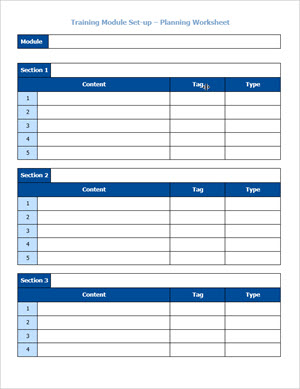
Here is the breakdown of what is listed on the sheet:
- Module Name
- Topic Sections
- Lesson Content
- Searchable Tag name
- Type of content
There are two ways to fill in the worksheet. You can also use a combined approach.
- Use your own current content
-
Use RestaurantOwner.com premade templates
Here is how the premade templates are used in a training pathway:
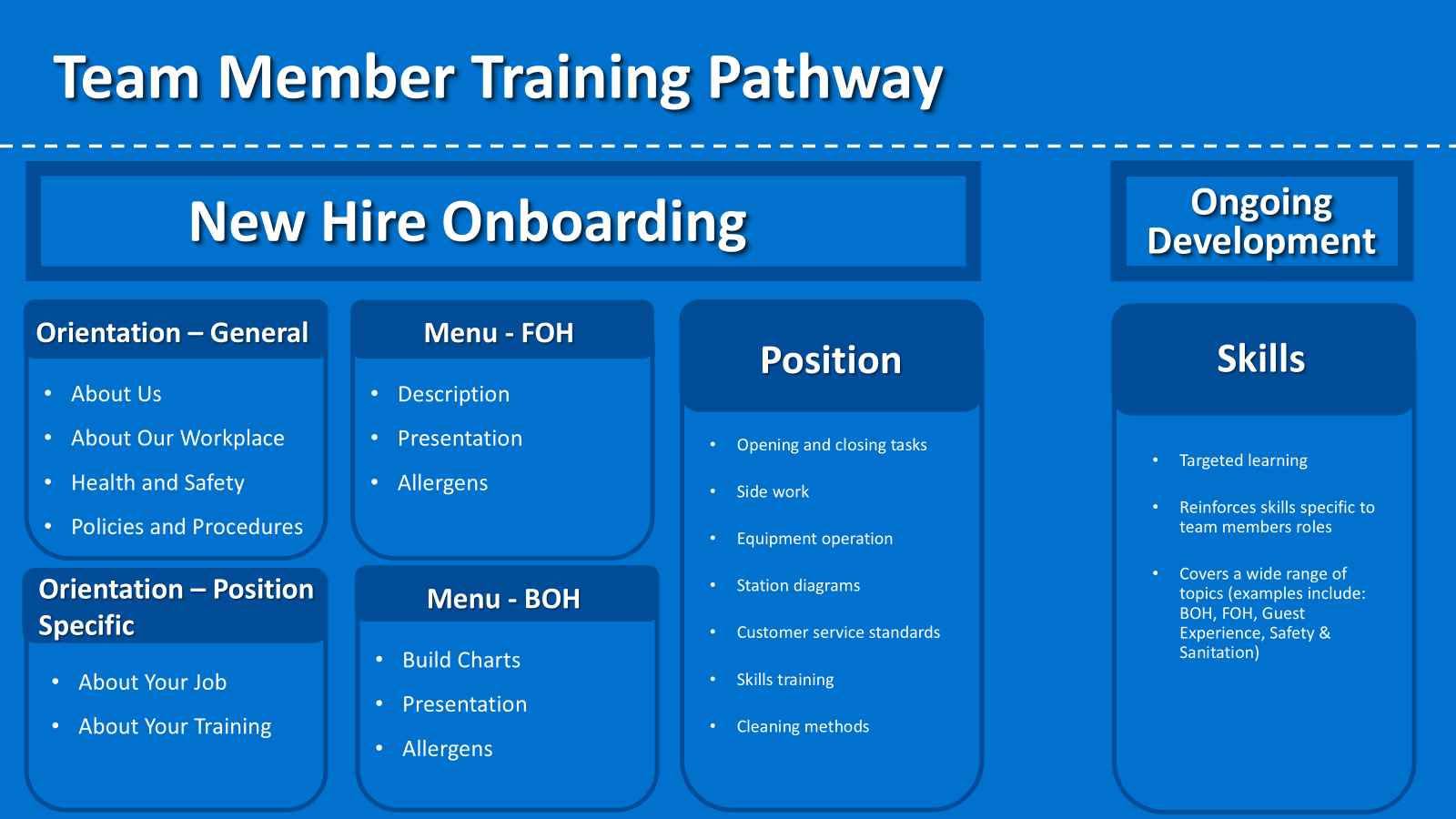
Best Practice Training Pathways
(A) New Hire Onboarding Pathway
- Orientation - General Module
- Orientation - Position Specific Module
- Menu Training -Front of House Module
- Menu Training -Back of House Module
- Position Training Module
(B) Ongoing Development Pathway
- Skills Module
Recommended starting places:
- Orientation – General Module
- Pick One or Two Positions
- Review Your Current Training Process
Begin to fill in the Custom Training Setup Planning Worksheet.
- Once you have completed the Planning Worksheet for a training module, you are ready to begin building the module.
- Use the Planning Worksheet as a guide. It is recommended to follow the Planning Worksheet exactly when adding sections to the Training Modules. You can make modifications as needed after adding content.
- Do not add content at this time. Steps 4 and 5 will lead you through the process of adding content and quizzes.
- Use the Help Aid below for detailed instructions on how to add and edit Training Modules
Step 3 Help-Aid
Types of Lesson Content Sources (5 Total):
- Add Shared Resources. (Best practices recommends sharing the RO resources you intend to use to the "Training Modules Only" team group you created in Step 1: Set Up Your Restaurant Team.)
- Add Custom Lesson Content Titles.
- Add Custom Quiz Titles.
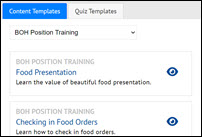
- Add RO Lesson Content Templates. We will show you how to customize those templates in Step 6.
- Add RO Quiz Templates. We will show you how to customize those templates in Step 6
Please note that the links listed on #4 and #5 direct you to the same webpage. On that page, you'll find two buttons that allow you to toggle between accessing (Lesson) Content Templates and Quiz Templates.
Step 4 Help-Aid
* This function is best accomplished using a desktop computer with a mouse. Some functionality may not work properly on touch only devices.
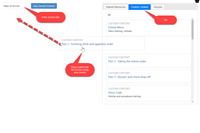
- Click on Add/Edit Training Modules
- Select the training module you want to add lessons to
- Select the Section to edit
- Using the Source Tabs on the right, find the first lesson or quiz you want to add
- Use the Drag-and-drop tool to drag from the Source Tabs to the section body
- Repeat until all lessons and quizzes has been added for this section
- Click Save section when finished
- Repeat for each section
- Save your changes on the Training Module form
- Click on the link below for instructions on adding and editing quizzes
Step 5 Help-Aid
Lesson and Quiz templates that have been added to a Training Module are automatically added to the Lesson Content and Quiz forms. Use Add/Edit Lesson Content and Add/Edit Quizzes to edit these templates.
Upon completion of Step 5, the Training Module sections and lesson content should mirror the planning worksheet you created in Step 2. Now it's time to finish editing the custom content you created titles for in Step 4 and the content and quiz templates you brought over in Step 5.
- Add/Edit Lesson Content
- Use the tag filter to find the lesson to edit
- Edit lessons created using the template import
- Complete the custom lesson content you added titles for
- Add/Edit Quizzes
- Use the tag filter to find the quiz to edit
- Edit the quizzes created using the template import
- Complete the custom quiz you added titles for
Step 6 Help-Aid
Lesson and Quiz templates that were added to a Training Module are automatically added to the Lesson Content and Quiz forms. Use Add/Edit Lesson Content and Add/Edit Quizzes to edit these templates.
- Review each Training Module in the Team Portal before assigning staff
- Create a Team Group for Testing (Build Your Restaurant Team)
- Add yourself as a Team Member (alias)
- Assign your Team Member alias to the Testing Team Group and a Restaurant
- Assign the training module to the Testing Team Group and the Restaurant you're alias is assigned to
- Review the training module in the Team Portal
- Assign Training Modules
- Assign modules to one or more Restaurants
- Assigning modules to one or more Team Groups
- Arrange the order (ranking) of the order you want each module to appear.
Step 7 Help-Aid
- Add managers and assign roles
- Add team members for testing
- Send instructions and Team Portal link
- Ask for feedback
- Modify content and training modules as needed
Step 8 Help-Aid
- Add all team members
- Send instructions and link to Team Portal
- Ask for feedback
- Modify as needed
Step 9 Help-Aid
-

Lesson and Quiz Templates
We have converted our handbook and training manuals into individual lesson templates that can be easily modified to reflect your specific restaurant systems. We've also added more than 100 micro-training videos to these lesson templates. And, we've even added dozens of quiz templates to support the lesson templates.
-
Custom Training Platform - Resources and Help Aids
Resources and Help Aids for setting up and using the Custom Training Platform
-
Download
Restaurant Training Agenda Templates - All Positions
The Restaurant Training Agenda Templates provide recommended training schedules by position for newly-hired staff. The Training Agenda helps to organize all aspects of a new hire's training and onboarding resources so that they feel valued, know what is expected from them, and ensure they are confident in performing the job duties for their role.
-
Download
Restaurant Training Program Worksheets
Use the restaurant training program outlines to create a world class training schedule for each restaurant staff position.
-
Download
Custom Training Module Setup Checklist - Planning Worksheet
The Custom Training Module Setup Checklist - Planning Worksheets are designed for the person responsible for facilitating and organizing the custom training within the restaurant.
The Checklist will be discussed at the coaching session with suggested talking points and recommended hands-on activities.