This Excel spreadsheet contains two worksheets, one for calculating food inventory and the other for bar inventory. The food inventory in broken down into categories for Meat, Seafood, Poultry, Produce, Bakery, Grocery and Non-Alcoholic Beverages. The bar inventory worksheet has categories for Liquor, Beer, Wine and Bar Consumable products. Each item on the worksheets has columns to indicate the "Order Unit" and price and the "Inventory (or count) Unit" and price. The "Inventory Unit price calculates automatically based on the "Order to Inventory" conversion factor that is entered. For example, say you order tomato sauce by the case. Each case contains 6 - #10 cans of tomato sauce. When you do a physical inventory you count the number of #10 cans of tomato sauce on the shelf. On the inventory count sheet you'd have the Order Unit, Order to Inventory coversion factor, and the Inventory Unit. See below. In the above example, the cost of a case of
 training video
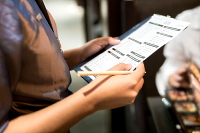
In a restaurant, counting inventory is crucial to controlling your costs and having a profitable operation. Make your restaurant's product counts easier, more efficient, and more accurate, by using the shelf-to-sheet method. It will streamline the process, eliminate the guesswork, and make sure it is consistent, every single time.

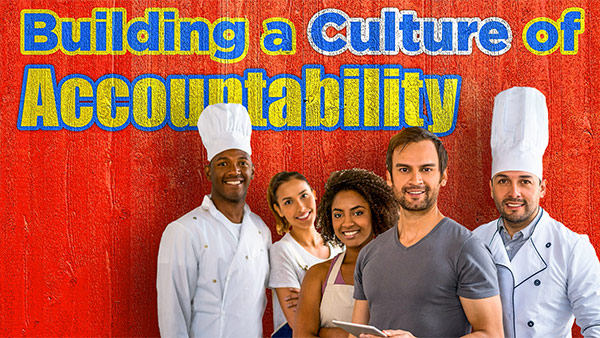
Whether you're an owner, manager or supervisor, accountability starts with you and trickles down to everyone else. If you want your restaurant to create a consistently superior dining experience for your guests and provide a supportive, inspiring working environment for your staff, take this course!
A 4-hour bootcamp delivering a clear roadmap, financials, and systems to launch and grow your restaurant.

Each week, RestaurantOwner.com releases fresh content created by seasoned pros. Subscribe now to stay up to date with the latest industry tips and trends.


Success isn't about working harder—it's about building a team and operation that delivers great results, even when you're not there. We provide the systems, training, and guidance to make that possible.

"From digital checklists to training resources, the RestaurantOwner tools save time and empower staff. It's not just about me, it's about us. When your team feels ownership, they give it they're all."
Improve restaurant staff performance by implementing clear restaurant systems, documented procedures, and accountability tools that define expectations for every shift. When employees have proven restaurant management systems to follow, performance becomes more consistent even when managers aren't present.
Standard operating procedures (SOPs), shift checklists, recipe systems, and restaurant training programs help ensure consistent food quality, service, and execution across every shift. These restaurant systems create repeatable results regardless of who's working.
Train restaurant employees with documented procedures, hands-on coaching, and clear performance expectations reinforced through ongoing restaurant training. Consistent training systems help staff follow standards, reduce mistakes, and deliver a better guest experience.
Increase restaurant profitability by improving operational efficiency, controlling food and labor costs, and implementing restaurant systems that reduce owner dependence. Strong processes allow your restaurant to grow sales and profits without requiring more of your time.
Reduce restaurant labor costs by optimizing schedules, cross-training employees, and improving productivity through proven restaurant management systems. Efficient operations help lower labor expenses while maintaining excellent customer service and guest satisfaction.